Sell it in HubSpot. Run it in simPRO, without the double entry.

simPRO runs the job. HubSpot runs the pipeline. Between them sits an estimator retyping site addresses at 6pm. We connect the two so a won deal becomes a simPRO job with the customer, site and quote already attached.

Start with a free audit. Give us your website and we map the tools you run and where the same details get typed twice, before we speak.

The call takes thirty minutes. You keep the map whether or not you hire us.

HubSpot to simPROOne connection, every run logged
  1. HubSpot Won deal, new jobA customer, a site and a job in simPRO, with the deal’s line items. In
  2. simPRO simPRO stages back to the pipelineScheduled, in progress, complete or invoiced, on the deal. Synced
  3. simPRO Office-created jobs into the pipelineJobs booked through the office become deals in HubSpot. Synced
  4. HubSpot Catalogue and pricing stay in simPROQuote lines carry the current simPRO price and item code. Synced
Connection healthMonitored

Every run is logged, so your bookkeeper can check what moved and when.

An example of a connection we build

An example. We map your own systems in the free audit.

Trusted by businesses across Albury Wodonga and regional Australia

Pandora Frontline Trays & Trailers Chargeroo Angie Ioannou Commercial Real Estate Cycle Station TWJ Trades The Landscapers Rest DWA Ignition ASV Shiny Side Up Albury Florist Centre Lighting Bonanza Footsteps Podiatry Clean Energy Solutions
What it replaces Twice

Every customer, site and quote keyed into HubSpot for the sale, then keyed into simPRO for the job.

After we connect them Once

The deal wins, the simPRO job exists. Customer, site, contact, quote lines and attachments come across with it.

Runs 24/7

A deal won on site at 4:50pm is a scheduled job before the van is back.

Lock-in 0

Built in your simPRO and HubSpot accounts. You own the connection and the documentation.

Also connects

Xero, ServiceM8 and Tradify if you run a mix, and the website enquiry form on the front.

Tradify or AroFlo instead of simPRO? Same shape of build.

01

What moves

Won deal, new job

When a deal reaches the stage you choose, simPRO gets a customer, or a match to an existing one, a site, and a job or quote with the line items from HubSpot. Your scheduler sees it in simPRO within a minute of sales winning it.

  • Customer matched on ABN, phone or email before creating
  • Site address, access notes and contact carried across
  • Quote lines and attachments included, not a link back
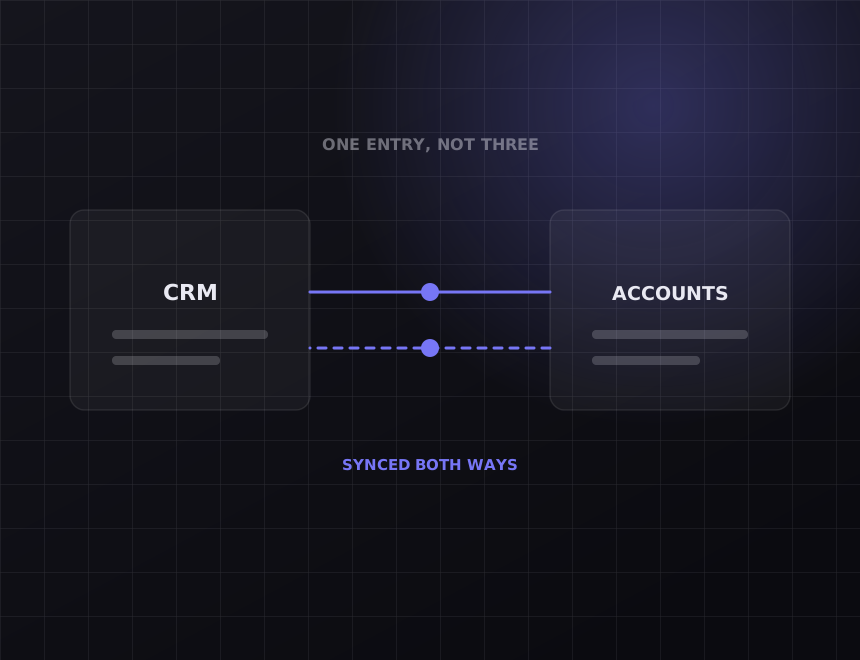
Diagram: two systems syncing both ways
Diagram: a working week with the recovered hours marked
02

What moves

simPRO stages back to the pipeline

Sales should not have to ring the office to find out whether a job has been scheduled. Job status in simPRO writes back to a HubSpot property, so the deal shows scheduled, in progress, complete or invoiced without anyone asking.

  • Status mapped stage to stage, your names on both sides
  • Completed jobs can trigger the review request
  • Invoiced amount visible on the deal for commission reporting
03

What moves

Office-created jobs into the pipeline

Existing customers ring the office and book a job direct. Those are sales too, and HubSpot should know. New simPRO customers and jobs created in the office become contacts and deals in HubSpot, so repeat work is tracked, not lost.

  • Office-created jobs appear as deals, tagged as repeat
  • Customer lifetime value calculated from real simPRO invoices
  • Marketing lists built from what people actually bought
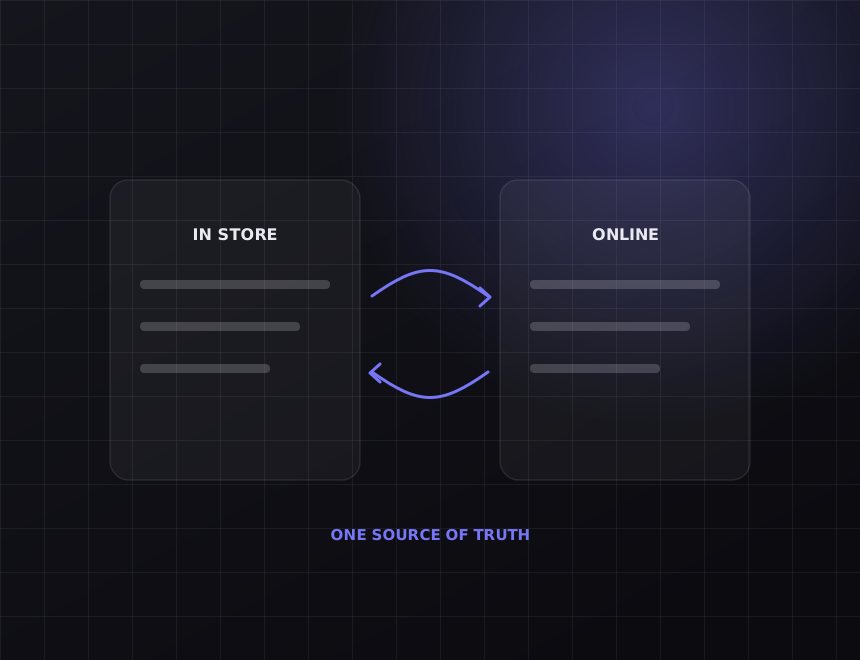
Diagram: records kept in step across systems
Diagram: a working week with the recovered hours marked
04

What moves

Catalogue and pricing stay in simPRO

Prices live in simPRO. HubSpot quotes should use them, not a spreadsheet someone exported in March. We sync the catalogue items you sell through HubSpot so quote lines carry the current price and the right simPRO item code.

  • Selected catalogue items synced to HubSpot products
  • Price changes in simPRO update HubSpot within the hour
  • Item codes travel with the quote, so simPRO does not guess

Before you pay

Read this part first.

Some of what is on this page you can get without us. The rest is where the money goes. Both are written down here so you can decide before the call.

What simPRO already does on its own

simPRO has its own lead and quote tools, and a firm that does all its selling from the office may not need HubSpot at all. If your sales conversations already live in simPRO, keep them there and save the money. This build is for firms with a sales team working in HubSpot, with sequences, call logging and pipeline reporting, who are paying an estimator to rebuild every win by hand.

What we will not do

Let HubSpot edit simPRO job costing. Once a job is in simPRO, the money side belongs to the people running the job. The pipeline reads from it. It does NOT write to it.

How it works

What we actually do, in the order we do it.

Every step below is work you can verify. Ask any provider to show you the same list for what they are doing.

1. Map the handover

Which deal stage creates the job. Which HubSpot fields go to customer, which to site, which to job notes. Which simPRO statuses sales cares about. One afternoon, both teams present.

2. Match the records you already have

Your simPRO customer list and your HubSpot contacts overlap and disagree. We reconcile them on ABN, phone and email before launch so the first week does not create duplicates in either system.

3. Build it, then try to break it

A deal with no site address. A customer with three simPRO records already. simPRO's API limits during a busy Monday. Each has a defined outcome and a log entry, never a silent skip.

4. Monitor it

Every job the connection creates is logged with the deal it came from. Failures alert us, and we usually fix them before your scheduler notices.

What clients say.

5.0 6 Google reviews, all five stars Read them all
Absolutely brilliant! Lee is extremely knowledgeable, not just in making websites, but also in business strategy and he has really helped me with both my website and to improve my business in general. Fantastic results! Anyone who is looking to take their business to the next level or just have it be more professional should definitely talk to Lee!
DMDigby MarschallGoogle review
Automatrix made it so easy for me to develop what I required for my business. Their professionalism and knowledge is outstanding. Go with them. Best decision you could do for your business.
MTMat ThomasGoogle review
Lee has helped me heaps with improving my business, 10/10 recommend, easy to talk to and very knowledgeable.
PTPeter TravGoogle review
We recently used Automatrix to re-build our website. The new site is great with a simple admin panel that has everything we need when updating our site. The SEO/AEO is really performing as well. The guys are always Helpful when we need them and are always on the front foot with updates etc.
SCSean CalleyGoogle review
Not getting your website AI ready is going to be the same as forgetting to renew your Yellow Pages spot back in the 80s. One month after launching we can already see a big improvement in traffic and enquiries through search.
NMNicolas MazzellaGoogle review
Absolute gun at making websites. Lee helped me the whole way to complete the exact website I wanted and further in every way he could. Legit can’t even write how much I appreciate this guy. A+
JSJames SmeatonGoogle review

Questions about simPRO to HubSpot.

We run Tradify or AroFlo, not simPRO. Does this apply?

Yes. Tradify, AroFlo and ServiceM8 all expose customers, jobs and quotes through an API. The HubSpot side of the build is identical, and the job side changes less than you would expect.

Can HubSpot quotes use simPRO pricing?

Yes. We sync the catalogue items you sell through HubSpot so quote lines carry the current simPRO price and item code.

What if the customer already exists in simPRO?

The connection matches on ABN, phone and email before creating anything. A match attaches the job to the existing customer. No match creates one, and the log records which happened.

Do we need a particular simPRO plan?

simPRO API access has to be enabled on your account. We check that on the audit call before quoting, along with your HubSpot tier, so there are no surprises after you have paid.

How long does it take?

Three to four weeks for most builds. The mapping workshop is the slow part, not the code.

Related

Other integrations we build often.

All nine are listed at integrations, and the general approach is on the systems integration page. Built for trades and construction among others.

The other half

Connecting your tools does not bring you new customers.

This gives you hours back. It does not make the phone ring. If enquiries are the actual problem, the work is on the other side of the business: see SEO and web design. On the call we will tell you which half is costing you more.

Get your free integration audit.

We look at the tools you run and where the same details get typed twice, then go through it with you on a 30 minute call. You get a map of what should move, which join to build first, and a fixed price.

What happens next

  1. Tell us about the business. Two minutes, here, with your website if you have one.
  2. We do the homework. Before we speak we look at your site, your search results and the systems behind them.
  3. A 30 minute call. The findings in plain words, what to fix first, and a fixed price if you want us to do it.
Lee Sheedy, Founder and Director at Automatrix

Lee SheedyFounder and Director, Automatrix

5.0 on Google

Step 1 of 4

Start with your website

We look at it before the call, so we already know what you run.

You approve the scope and the price before we build. The connection runs in your accounts. Prefer to talk first? Book a 30 minute call.